
Put the busywork on Autopilot.
Build a rule once. Autopilot handles every reminder, follow-up, and handoff from then on.
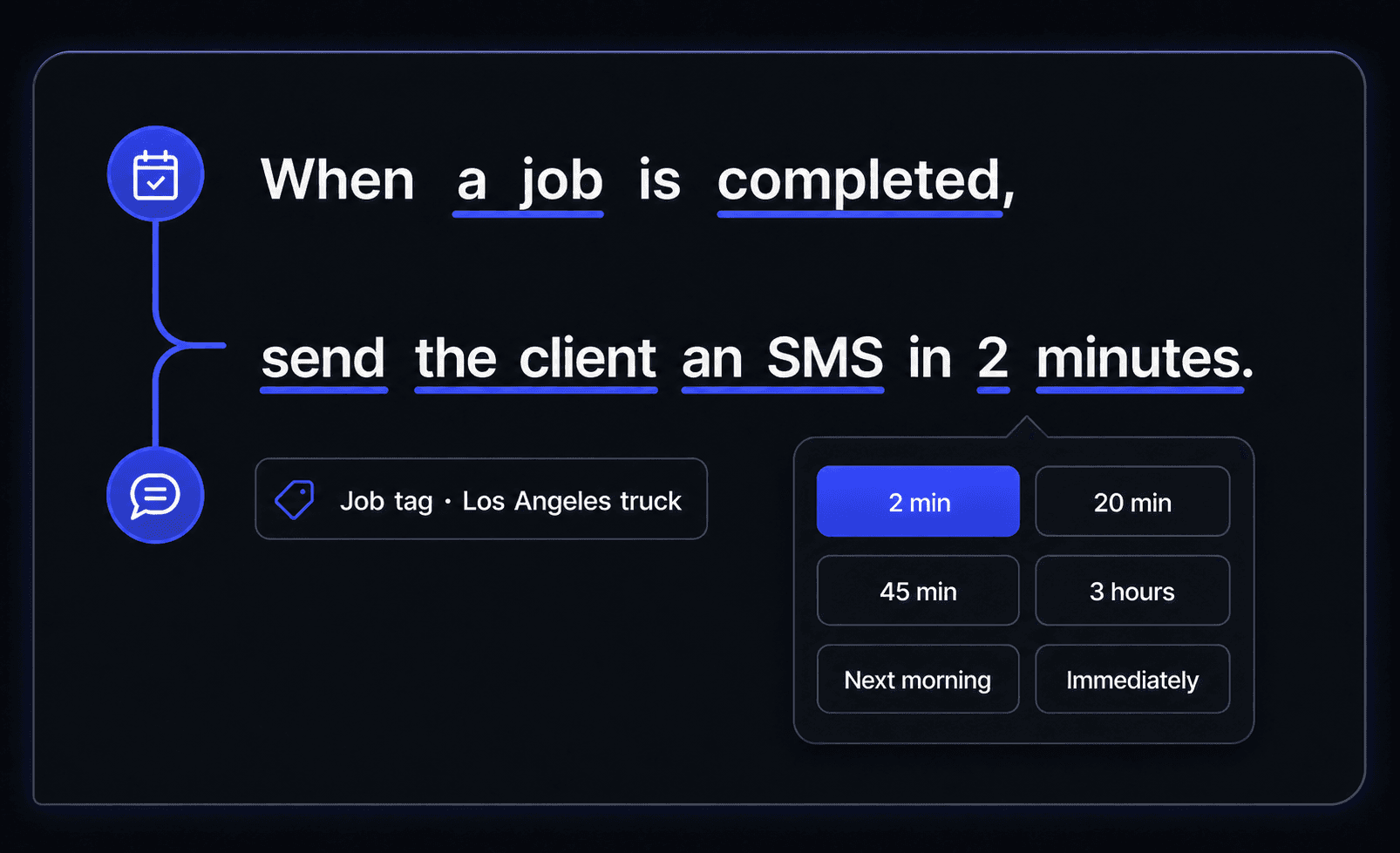
Build it like you would say it.
Pick what happened, what Autopilot should do, who should receive it, and exactly when it should happen. No code. No maze of boxes.
When a job is completed,
send the client an SMS in 2 minutes.
The right local-truck follow-up goes out with a short, intentional delay.
The right message at the right moment.
Send it now, in two minutes, later this morning, or the next morning. Every rule follows the clock that matters to the job.
- Start with a two-minute delay
- Pick a custom short delay for each workflow
- Use next morning for lower-priority follow-ups
Choose when it runs
Relative to the trigger
Only run this rule when...
All selected conditions match
Tags turn a broad rule into your rule.
Follow up differently for VIP customers, repeat work, a certain job type, or jobs that still have money due. Include the people who need the message and leave everyone else alone.
The follow-ups that keep work moving.
Start with the jobs your office repeats every day, then make each rule as specific as your business needs.
Invoice is due
Balance is still unpaid
Email the client
Next morning
Job is completed
Job tag is Review ready
Ask for a review
45 minutes
Job is assigned
Job tag is Los Angeles truck
Notify the crew lead
20 minutes
Estimate is sent
Estimate is still open
Send a follow-up
3 hours
Your office keeps moving, even when nobody is at the desk.
Set the standard once. Autopilot repeats it every time.
- businesses run on Autopilot
- 400+
- Google Play rating
- 4.9
- App Store rating
- 4.8
- per month starting price
- $49
Build the rule once. Get the time back every day.
Put reminders, follow-ups, review requests, and office handoffs on Autopilot.
Automation questions, answered
The practical details for putting busywork on Autopilot.