Give every missed and after-hours caller a real conversation. Eva learns how your business works, captures the job, and leaves your team the full story in Autopilot.
Not a voicemail. Not a mystery.The whole job, ready for your team.
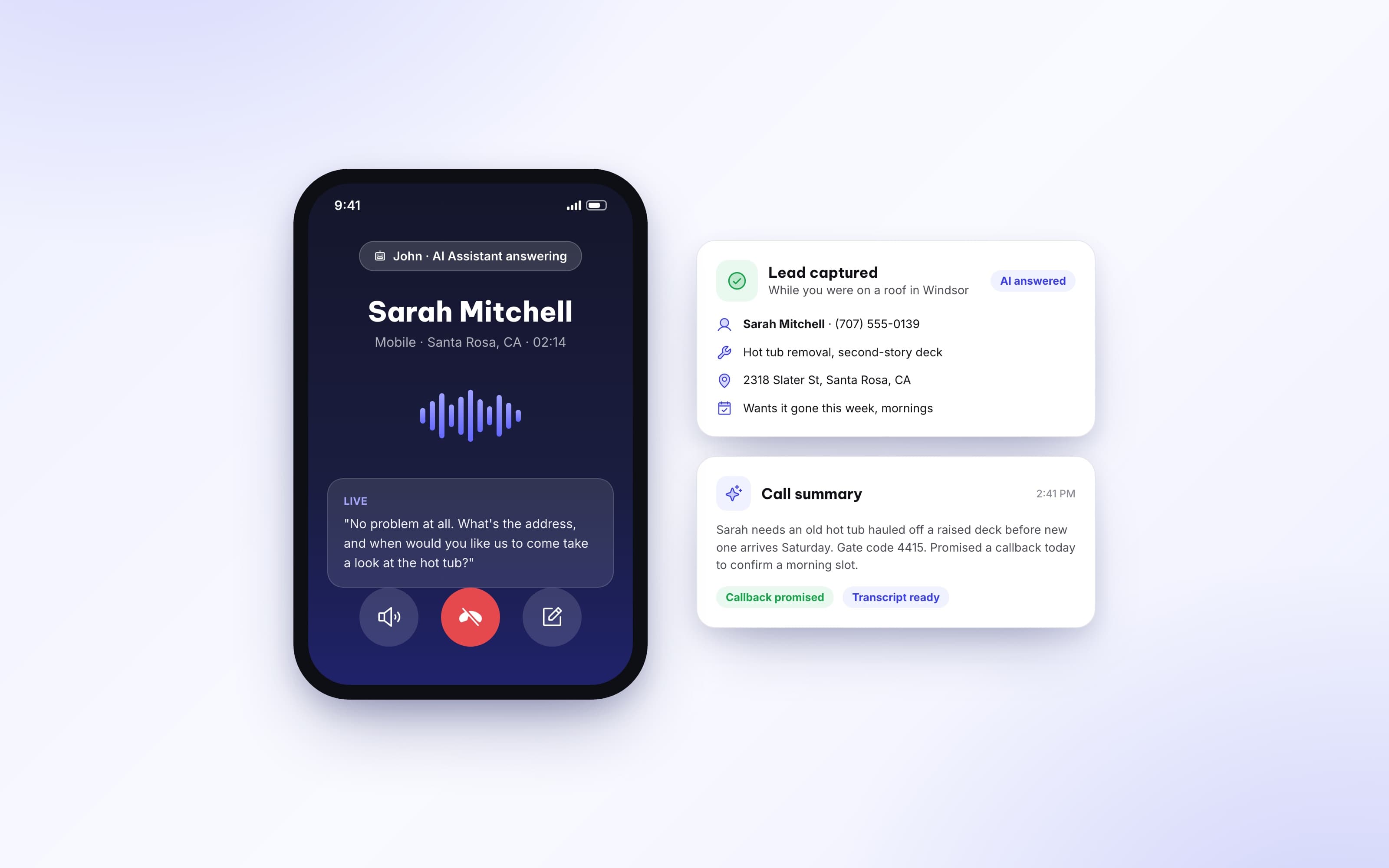
Lead captured while the crew keeps working.Name, service, address, timing, callback, and the complete call.
From ringing phone to ready-to-book lead.
Eva does not replace the relationship. She protects the moment before your team can take over.
1
The call comes in
Eva can take missed calls, after-hours calls, or both on the business lines you choose.
2
Eva has the conversation
She introduces your business, follows your rules, and asks the questions that matter.
3
The job details are captured
Name, callback number, service, address, timing, and the caller’s own words are saved.
4
Your team takes it from there
The recording, summary, and transcript are ready in the customer conversation for follow-up.
Calls finally belong in the conversation.
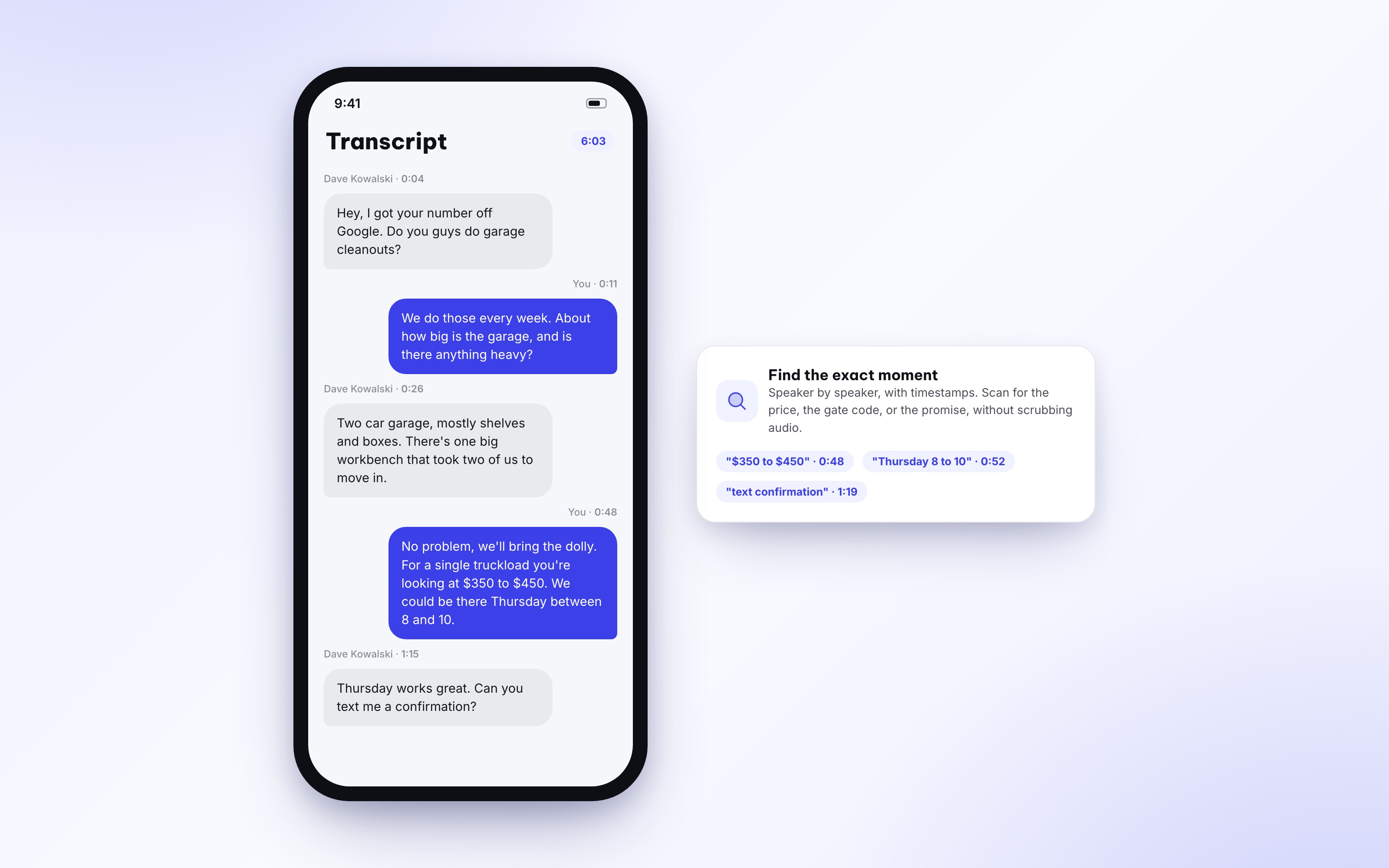
AI-answered calls live with the customer in Messages, beside the texts and calls your team already uses. Play the recording, scan the summary, and open the transcript without rebuilding the story in another tool.
ListenFull recording
UnderstandAI call summary
VerifyComplete transcript
Follow upSame customer thread
Your business has a way of answering.Teach Eva that way.
Start with Autopilot’s instructions tuned for your industry, or write your own playbook from scratch. Eva follows the rules you set, on the numbers and hours you choose.
How Eva introduces herself and your company
What questions she asks every caller
Which details she must collect before ending a call
How she handles services, locations, and special requests
What she promises — and what she should never promise
Let the team answer during business hours. Let Eva cover nights, Sundays, or any custom schedule. Missed-call answering can stay on at any hour, so a busy crew never becomes a dead end.
Custom hours by dayAll-day coverageMissed calls at any hour
One receptionist. Every detail that keeps a lead moving.
Powerful enough to protect the sale, controlled enough to sound like your company.
Missed-call answeringTake over when the team cannot pick up.
After-hours coverageCover evenings, weekends, or a custom schedule.
Per-number controlsChoose exactly which business and tracking lines Eva answers.
Your voice and rulesName the receptionist and write the instructions she follows.
Full call intelligenceKeep the recording, AI summary, and speaker-by-speaker transcript.
Instant visibilityKnow when Eva answers and see the result without hunting for it.
businesses run on Autopilot
400+400+
Google Play rating
4.94.9
App Store rating
4.84.8
per month starting price
$49$49
Let your next missed call meet Eva.
See how Autopilot answers, captures, summarizes, and hands the opportunity back to your team.
What Eva answers, what you control, and where every call goes.
Which calls can the AI Receptionist answer?+
You can turn on missed-call answering, after-hours answering, or both for each Autopilot phone number. That lets you cover a main business line differently from a Google Ads or other tracking line.
Can I control what the receptionist says?+
Yes. Give the receptionist a name, use Autopilot’s industry-tuned recommended instructions, or switch to fully custom instructions and define how calls should be handled.
Where do AI-answered calls appear?+
They appear with the customer conversation in Messages alongside the rest of the relationship. Your team can review the call recording, AI summary, and transcript without piecing together separate tools.
What information can the receptionist capture?+
It can collect the caller’s name and callback number, the service they need, the job address, preferred timing, and other details your instructions tell it to ask for.
Can I hear the experience before turning it on?+
Yes. You can place a test call to your own receptionist, hear the greeting and conversation, and refine the instructions before customers use it.

 Recommended or completely custom