
Talk to the people building Autopilot.
Eric sent this request to our team. Ryan, my cofounder, replied. Here are their words.
November 9 and 10, 2025 · Selected support messages
Eric · Customer
I notice that once you create an estimate from a lead, it automatically makes them a client.
Eric · Customer
It would be great if we could make estimates from leads, and they stay in the lead category until you convert them to a job, when they then move to the client side.
Ryan · Cofounder
That makes sense. I'll talk to Andrew to confirm we're on the same page but we should be able to implement this change in an update. Thank you!
Selected excerpts from our support archive, with wording preserved and intervening text omitted. Presented here as a chat excerpt. Eric's surname and photo are kept private. The replies describe the product at the time; the walkthrough below shows what changed.
Table of contents
Creating an estimate for a lead in Autopilot keeps that person as a lead. When you create a job from the estimate, the app moves them to the client side. You can quote the work before treating it as a booking.
Eric described why this mattered to him. He sent estimates to prospects, but the act of quoting moved those people into his client list. People who had never hired him ended up mixed in with customers who had.
Ryan, my cofounder, agreed that the request made sense. We have since changed the estimate workflow in the web and mobile apps.
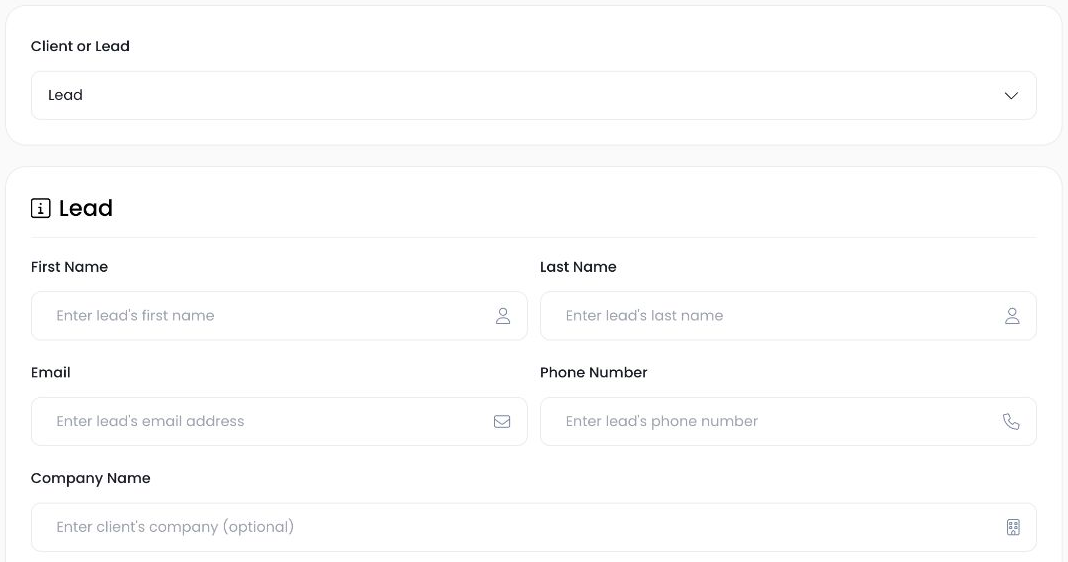
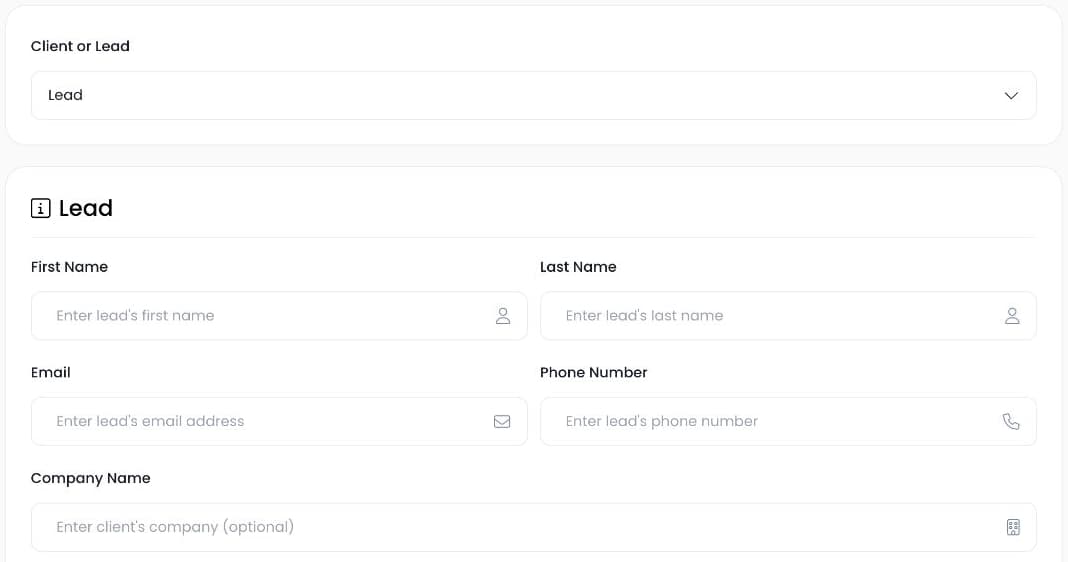
The actual lead creation form, shown without customer details. No contact was saved.
A quote belongs in the sales process
An estimate tells someone what the work will cost. It does not tell you whether they will accept it. If you use your client list to find previous customers, moving every quoted lead into that list makes it harder to answer a basic question: Who has hired us?
You still need the prospect's details. Their address, the work they asked about, and the quote all belong in the record. Keeping them as a lead lets you retain that information while you wait for a decision.
That was the useful part of Eric's request. He wanted the status change to happen when the work became a job.
How the lead-to-estimate-to-job workflow works
Start with the lead
Open Clients & Leads and find the prospect. Check for an existing record before adding another one. A second record for the same person can split the quote and the conversation across two places.
Use the lead record when preparing the estimate. If you need to see the property first, you can also schedule an estimate walkthrough before there is a job to book.
Prepare the estimate
Add the work and pricing to the estimate, then review it before sending. Creating the estimate does not promote the lead to a client. That gives you room to quote, answer questions, and follow up without calling the work booked.
The estimate's document status and the contact's lead/client status describe different things. Use the document to track the quote. Use the contact classification to organize the person in your client and lead list.
Create the job when the work is agreed
When you are ready to book the work, use the estimate's action to create a job. Autopilot promotes the linked lead to a client in that flow. Review the job's date, assigned crew, and scope before saving the booking details.
Do not assume an estimate visit is the hauling or service date. An appointment to look at a property might need one person for half an hour; carrying out the work can require a different crew and time slot.
What this fix changes, and what it does not
The change removes the automatic promotion that happened during estimate creation. It puts the promotion in the job-from-estimate flow instead. The estimate stays associated with the same contact through those steps.
It does not go back through your old client list and decide who should become a lead again. An older record may already be marked as a client because of the previous behavior, an import, or a manual choice. Review those records individually before changing their classification.
This also does not measure whether a customer has paid. A booked job, an approved estimate, and a settled invoice are different events. Check the relevant job or invoice when that distinction matters.
Keep follow-up separate from past-customer outreach
When you follow up on an estimate, refer to the work you quoted and ask whether the person has questions. When you contact a previous customer, you can refer to work you have already completed. Those conversations start from different facts.
Keeping leads and clients organized helps you choose the right people for each message. Review the recipient list before using any bulk outreach tool; a contact's classification alone does not establish permission to send marketing.
Open one estimate tied to a lead and check the contact status. Then look at the job-creation action so you know where the transition happens. Our estimates overview covers the rest of the quoting tools, or you can book a demo and ask us to walk through your sales process.
Find more Autopilot guides on Google
Add Autopilot as a preferred source to see more of our latest advice in Google Search and AI results.